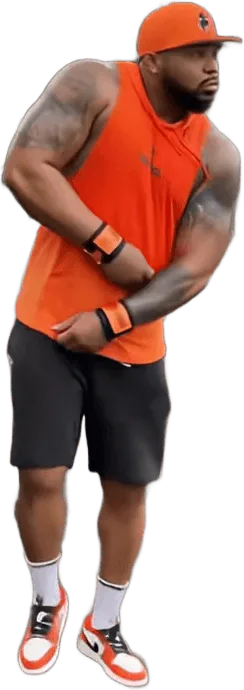
To make the fergie baby ai video, upload one clear photo to Fergie Baby AI, pick a walk and a format, and generate. There is no prompt to write and nothing to edit. Open the generator.
Four steps from one photo
1. Pick a clear photo
Front-facing, good light, one person. Whatever you are wearing in the photo is what you wear in the video, so choose the outfit on purpose.
2. Choose the walk and the format
Pick one of 6 walks. Choose 9:16 for TikTok, Reels and Shorts, or 16:9 to match the original clip.
3. Generate and download
The clip is 15 seconds long and carries the original sound of the trend clip, with no watermark. Rendering takes a few minutes. Download the MP4 when it finishes: finished videos stay downloadable for 24 hours, and then the file is gone.
4. Post it
Upload the MP4 to TikTok, Instagram or YouTube Shorts and publish. The sound is already on the file, so you only add a caption.
That is the whole flow. Allow a few minutes for the render, and the only decision that changes the result is the photo you start with. If the first clip is not what you wanted, change the photo or try another walk rather than editing the clip: the movement is the same in every walk, and only the outfit, the light and the look of the scene change. If a result looks off, 7 common fails and how to fix them goes through each one.
Why not do it by hand?
People ask whether the fergie baby ai video can be made without a generator. In principle it can, and in practice it is a lot of work. You need a clean copy of the original walk to use as a reference clip, an AI video model that accepts a motion reference, a paid account for it, and a long prompt that keeps your face, your clothes and the camera move consistent for 15 seconds. Then you add the song yourself. No manual tutorial is published on this site, because the point of Fergie Baby AI is that you skip all of it.
The part that costs people most is the re-rolls. Each attempt on a paid video model is billed whether or not the gate opens on time, so a result that finally works is often the fourth or fifth try. Fergie Baby AI runs Seedance 2.0 / 2.5 by ByteDance with the reference, the prompt and the settings fixed and tested, and failed or blocked renders return their credits automatically.
| Fergie Baby AI | By hand | |
|---|---|---|
| What you supply | One photo | Photo, reference clip, prompt, settings |
| Prompt writing | None | Long, tuned by trial |
| Typical failures | Handled in the template | Walk drifts, face changes, watermark or jacket from the reference leaks in |
| Motion | Reference of the original walk built in | You find and prepare a reference clip |
| Paid attempts | Failed renders return credits | Several paid re-rolls |
| Sound | Original sound on the MP4 | Added by you afterwards |
| Tutorial needed | No | Yes, and none is offered here |
Photo tips that change the result
- Show your outfit. In the Classic Gate Walk your clothes carry over, and a jacket or hoodie reads better than a plain T-shirt when your hands go to your head.
- Full body helps. The camera follows your whole stride, so a photo that shows your shoes gives the model less to guess.
- Face large and sharp. One person, front-facing, even light. Sunglasses, group shots and beauty filters are what make a face drift.
- Crown King Walk is the exception. It replaces your outfit, so a clear face matters more than the rest of the body.
Use a photo of yourself, or of an adult who agreed. A parent or guardian can use their own child for the Baby Gate Walk. Photos of celebrities and of other people's children are refused, and uploads are deleted within 24 hours. Looking for a camera filter instead? There is no official one.
Posting it
The MP4 already has the sound from the trend clip, so you can upload it as it is. Use 9:16 for TikTok, Instagram Reels and YouTube Shorts, and 16:9 if you want it to match the widescreen original. Many creators post the result next to the original as a split screen, because the gate pull and the hands-on-head beat line up; the side-by-side posting guide covers the editor steps.
Switch on the AI-generated content label in the app you post to when it offers one. Labelling realistic AI video is the honest thing to do, and it keeps you in line with each app's rules. Fergie Baby AI is an independent fan-made tool and is not affiliated with Fergie Baby or TikTok. To see where the walk comes from, read the trend explained.