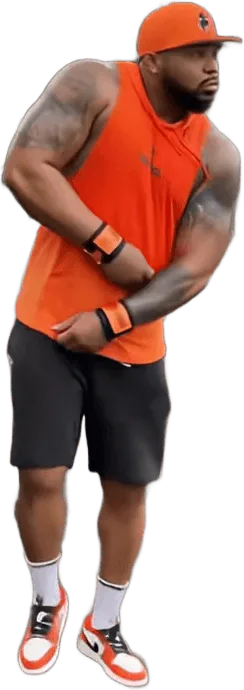
The best way to post a Fergie Baby AI video on TikTok or Reels is as a side-by-side: the original clip and your AI version in one split-screen frame, with the gate pull lined up at about 3.5 seconds, the original sound playing once, and a caption that credits the original creator. Fergie Baby AI gives you a 15-second MP4 with the sound already in the file, so most of the editing is placing two clips next to each other.
Key takeaways
- Put the original on one half and your video on the other. The comparison is the whole point of the trend, so a split screen reads better than your clip alone.
- The MP4 from Fergie Baby AI already carries the original sound, aligned to the gate pull. Use that audio and mute the other clip.
- Align the two clips at the gate pull, at about 3.5 seconds, not at the start.
- Credit the original creator, @fergiebabyyy, in the caption. Say it is AI. Do not claim it is real, and do not use other people's children.
What is a Fergie Baby AI side-by-side?
A Fergie Baby AI side-by-side is a split-screen video that shows the original Fergie Baby walk next to an AI version of you doing the same walk. The original is the 90-second music video clip posted by the Harlem rapper @fergiebabyyy on 26 September 2026: he crosses a ball field, pulls open a chain-link gate and walks down a park path toward a camera that backs away.
The AI versions copy that walk beat for beat with a different person. The viewer's eye goes back and forth between the two halves, which is why the format took off: you see the gate pull, the head touch and the point happen twice, once real and once AI.
Fergie Baby AI (fergiebaby.com) makes the AI half from one photo. It is an independent fan-made tool and is not affiliated with Fergie Baby, his label, TikTok, Instagram or the singer Fergie. There is no official TikTok or CapCut filter for this trend as of October 2026.
What do you need before you start?
You need three files and one app. The three files are the original clip, your Fergie Baby AI MP4 and, optionally, a cover image. The app is any editor that supports split screen or two video tracks.
- The original clip. Use the clip from the creator's own TikTok. Download and reuse rules differ by platform and by creator, so check what the platform allows and keep the credit visible. On TikTok, the Stitch and Duet features let you place a video next to one that allows them, which keeps the credit built in.
- Your Fergie Baby AI video. A 15-second MP4, 9:16 by default, with the original sound and no watermark. Pick the Classic Gate Walk if you want your own clothes and the closest match to the original.
- An editor. The TikTok editor, CapCut, Instagram Edits or any desktop editor will do. You need two video layers, a way to trim each one, and control over which audio plays.
If you have not made the AI half yet, the generator is where it starts. A standard video (Standard model, 720p) costs 10 credits, credits never expire, and a failed or blocked render returns its credits automatically.
How do you set up the split screen?
Set up a vertical 9:16 canvas, put the original on the top half and your AI video on the bottom half, or put them left and right if you prefer. Top and bottom keeps both clips large on a phone, because each one is 9:16 and gets cropped to fit.
- Create a 9:16 project. TikTok and Reels both use 9:16.
- Add both clips on separate tracks. Put the original on the first and your AI clip on the second.
- Choose a split layout. Most editors have a top-and-bottom or left-and-right preset. If yours does not, scale each clip to half the canvas and move them into place by hand.
- Crop to the figure. Each clip is 9:16, so half the canvas is a wide crop. Move each clip so the walker's face and hands stay in view. The gate and the path matter less than the face.
- Trim to the same length. The Fergie Baby AI clip is 15 seconds. Cut the original to the same length starting from the same moment.
Left and right is the better layout for a computer viewer, and top and bottom is better for a phone. For a feed made mostly of phone viewers, use top and bottom.
How do you handle the sound?
Use the sound from your Fergie Baby AI video, mute the original, and do not add a third audio. The MP4 from Fergie Baby AI already includes the original sound of the trend clip, the song "Uptown Shooters N' Bronx Bombers" by Fergie Baby, and it is placed so the beat sits against the gate pull.
The steps:
- Keep the audio on your AI clip.
- Mute the audio on the original clip. If both play, you get an echo.
- Check that the audio runs for the full 15 seconds and does not cut early.
If the sound is muted or removed after you upload, that is the platform, not the render. Commercial songs can be muted when the platform cannot match them to a licence. There are two ways around it: post without the sound and pick the same sound from the app's library, or upload the video silently and add the platform's own sound. A re-render will not fix a muted post, so do not spend credits on it.
How do you align the gate pull at about 3.5 seconds?
Move the two clips against each other until the moment each walker grabs the top of the gate lines up on screen. In the original, the gate pull sits at about 3 to 4.5 seconds, with the raised arm landing near 3.5 seconds. That is the best anchor, because it is the biggest and clearest movement in the first half.
Here is how to do it:
- Scrub the original until the arm reaches the top of the gate. Note the time.
- Scrub your AI clip to the same movement. Note that time.
- Slide one clip so the two moments sit at the same point on the timeline. A difference of a few frames is normal.
- Play it through and look at the head touch at about 8 to 9.5 seconds. If it drifts by more than half a second, try the other way: align at the head touch and see which anchor looks better.
- Trim the start of whichever clip begins first so both begin on the same frame.
Fergie Baby AI renders the walk from a motion reference cut from the original, so the beats land close to the original, but AI video is not frame-exact. Small drift in the last beats, the point at the lens and the final hands-up, is normal. Align at the gate pull and let the drift fall at the end, where viewers are least likely to notice. If the gate pull is more than a second away from the original, re-render before you edit.
The beats to check, in order, are:
| Time | Beat |
|---|---|
| 3.0 to 4.5 s | Gate pull |
| 4.5 to 6.0 s | Step out onto the path |
| 8.0 to 9.5 s | Both hands on the head |
| 12.5 to 15.0 s | Point at the lens |
How should you write the caption?
Write a caption that says what the video is, credits the original creator and tags the trend. Keep it short, because the video does the work.
A caption has three parts:
- A line about what it is. For example: "Fergie Baby walk, AI version" or "Me in the Fergie Baby walk (AI)". Saying it is AI is both honest and what people search for.
- A credit. Add "Original by @fergiebabyyy" or tag the account. The walk, the song and the original clip belong to him and his label, not to you and not to Fergie Baby AI.
- The hashtags. Use a few, not a wall of them.
Hashtags that fit the trend:
- #fergiebaby
- #fergiebabyai
- #fergiebabychallenge
- #aivideo
- #uptownshootersnbronxbombers
Keep the total to three to five. A few specific tags beat a long list of general ones. Add the song name in plain text if you used the original sound, so a viewer can find it.
For a Reel, the same caption works. Put the credit in the first line, because the Reels caption is cut off after a couple of lines in the feed.
Should you credit the original creator?
Yes. Credit @fergiebabyyy in the caption and, if the platform allows it, tag the account. The clip is his video, shot by a production team, and the song is his. Credit costs nothing, and it keeps your post on the right side of what the platform expects when you reuse someone's clip.
Credit does not mean permission. If you use the original footage in your side-by-side, the platform's rules for reusing other people's videos still apply, and the creator can ask for a clip to be removed. Stitch and Duet are the lowest-friction way to use a video with credit built in, on videos where those features are allowed. If you are not sure, a side-by-side that uses only a short excerpt, with the credit visible, is safer than the full 90 seconds.
Fergie Baby AI is a separate, independent tool. Do not describe your video as official, endorsed or made with the creator.
What should you avoid?
Avoid four things, in this order of importance.
- Claiming it is real. The AI half is generated. Say so in the caption. Passing it off as footage of you at a real park is misleading, and platforms ask creators to label AI-generated content.
- Other people's kids. Fergie Baby AI accepts a photo of yourself, an adult who agreed, or your own child if you are their parent or guardian. Do not post a side-by-side of a child who is not yours, and do not put your own child's name, school or location in the caption.
- Celebrities and public figures. Do not use their photos, and do not imply that a public figure took part in your video.
- A clip with a mark you cannot explain. If your render shows a logo, a watermark or lettering you did not provide, re-render before you post. The fails and fixes guide lists what causes each one.
Also avoid cropping out the credit, covering the original with a big text overlay, and posting a clip with obvious face drift or a missing gate. A clean version of a trend gets more shares than a rushed one.
What export settings should you use?
Export at 9:16, 1080 by 1920 if your editor offers it, at the highest quality the app allows. Both TikTok and Reels recompress uploads, so starting with a higher-quality file helps. A 720p video from Fergie Baby AI will look softer after the split screen halves its height, because each clip takes half the canvas.
To keep the split screen sharp:
- Choose a higher resolution or a higher tier for the AI half if the face matters most. Pro at 720p costs 20 credits against 10 for Standard, and the pricing page lists the rest.
- Do not add heavy filters on top. They blur faces and hands.
- Keep text overlays small and away from the faces.
- Add a cover frame from the head touch or the gate pull, because those are the most recognisable moments.
How do you post it on TikTok and Reels?
Upload the exported file, add the caption, tag the original account, choose the cover and mark the video as AI-generated if the app has a label for it. Both TikTok and Instagram have AI content labels, and using them is honest and avoids a problem later.
To post a second version, pick another walk such as the Crown King Walk, Night Walk or Leather Drip Walk. They use the same motion, so a second post lines up the same way.
For a quick explanation of what the trend is before you post, read the Fergie Baby AI trend page, and if you are wondering whether a one-tap effect exists in the app, read the filter answer. To see how the walk is made, read How to Make the Fergie Baby AI Video. When you are ready to make the AI half, go to the generator.
Frequently asked questions
How do I make a side-by-side with the Fergie Baby AI video?
Place the original clip and your Fergie Baby AI MP4 on two tracks in a 9:16 project, split the screen top and bottom, and line up the gate pull at about 3.5 seconds. Use the audio from the AI clip, mute the original, and trim both to 15 seconds.
Does the Fergie Baby AI video come with sound?
Yes. The MP4 from Fergie Baby AI includes the original sound of the trend clip, aligned to the gate pull, and has no watermark. Platforms can still mute commercial songs after upload. If that happens, post silently and add the platform's sound. A re-render will not fix a muted post.
What hashtags should I use for the Fergie Baby AI trend?
Use three to five: #fergiebaby, #fergiebabyai, #aivideo and the song name are the closest fits. Say in the caption that the video is AI and credit @fergiebabyyy as the original creator. A few specific tags work better than a long list of general ones.
Do I have to credit the original creator?
Credit @fergiebabyyy in the caption and tag the account where the platform allows it. The walk, the clip and the song belong to him and his label. Credit is good practice, but it is not permission to reuse the footage, so follow the platform's rules for other people's videos.
Can I post a side-by-side of my child?
Only if you are the child's parent or legal guardian. Fergie Baby AI accepts a photo of your own child for the Baby Gate Walk and refuses photos of other people's children. Label the video as AI, and keep your child's name, school and location out of the caption.