Copied Fergie Baby AI prompts fail because a screenshot of a prompt is only one part of a recipe. The part you can see is a few lines of text. The parts you cannot see are the motion reference clip, the exact photo the creator used, the model tier, and many renders that were thrown away before the good one was posted. Fergie Baby AI (fergiebaby.com) builds those parts in, so one photo is enough and there is no text to paste. This post is for troubleshooting a prompt you already copied; for what the built-in prompt controls, read the Fergie Baby AI prompt page.
Key takeaways
- A walk prompt has four jobs: say who is walking, point at a motion reference, set the beats in order, and block things that should not appear. A pasted prompt usually does the first and fourth badly and has no motion reference at all.
- A different face, a branded jacket, a watermark and a missing gate are not random. Each one has a specific cause that a screenshot cannot carry.
- This page explains why doing it by hand goes wrong. It does not print a prompt you could paste elsewhere. The one-tap version is on the generator.
- Fergie Baby AI uses Seedance 2.0 and Seedance 2.5, video models made by ByteDance. You pick the tier. A failed or blocked render returns its credits automatically.
Why does a copied Fergie Baby AI prompt not give the same video?
A Fergie Baby AI walk prompt has to do four jobs at once: fix the identity of the walker, tie the video to a motion reference, order the beats of the walk, and keep stray details out of the frame. A prompt that does only one or two of these produces a video that looks like a walk but not like the trend.
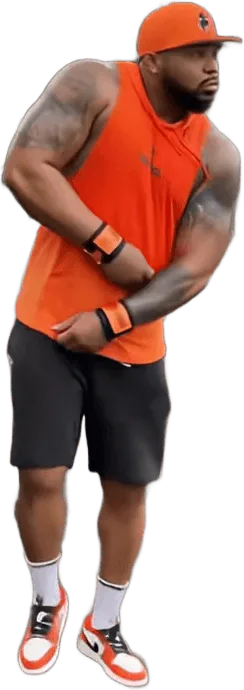
The trend itself is simple to describe. In the original clip, posted by the Harlem rapper Fergie Baby (@fergiebabyyy) on 26 September 2026, a man crosses a ball field, pulls open a tall chain-link gate, steps onto a park path and walks toward a camera that backs away. He shrugs, touches his head with both hands, taps his chest and points at the lens. The AI versions swap in someone else. Fergie Baby AI is an independent fan-made tool and is not affiliated with him, his label, TikTok or the singer Fergie.
Describing that in words is the easy part. Getting a video model to hold it for 15 seconds is where the work is.
What is the identity part of the prompt?
The identity part tells the model who the person in the video is, usually by pointing at an uploaded photo and saying what to keep from it: face, hair, build, and sometimes the outfit. In a Fergie Baby AI walk this part changes by template. The Classic Gate Walk keeps the clothes in your photo. The Crown King Walk replaces them. The Leather Drip Walk dresses you in a generic jacket.
Two things go wrong when people copy this part from a screenshot.
First, the screenshot was written for someone else's photo. A line that says "keep the clothes from the photo" produces a very different result for a person in a plain white tee than for a person in a printed hoodie.
Second, a screenshot does not tell you which photo the creator used. A sharp, front-facing, evenly lit photo is the quiet reason many viral versions look good. If you try the same words on a dim selfie, you get a different video from the same prompt.
What is a motion reference, and why can't a screenshot carry it?
A motion reference is a short video the model is told to follow for movement. For Fergie Baby AI it is a 15-second cut of the original clip with the sound removed and the watermark area cleaned. The model reads the timing of the gate pull, the step out, the head touch and the point, and applies it to your face.
This is the single biggest reason pasted prompts fail. Text can say "pulls open the gate". It cannot say when, how fast, with which arm, or how far the camera backs away. Without a reference clip the model invents its own walk, and it is usually a plain stroll with no gate pull and no head touch.
When you try the text alone, you are missing half of what produced the video you liked.
On Fergie Baby AI the motion reference is built in, which is why the gate pull lands at roughly the same moment as in the original and the clip can sit next to it in a side-by-side.
Why do the beats matter more than the style words?
The beats are the ordered list of what happens and roughly when. They matter more than style words such as "cinematic" or "moody" because the trend is recognised by its sequence, not by its look. Viewers know it is the Fergie Baby walk from the order: the field, the gate, the step out, the strut, the hands on the head, the bounce, the point.
Measured from the original clip, the sequence runs like this:
| Time | Beat |
|---|---|
| 0.0 to 3.0 s | Cross the field toward the gate |
| 3.0 to 4.5 s | Pull the gate open with one raised arm |
| 4.5 to 6.0 s | Step out onto the path, tug the jacket straight |
| 6.0 to 8.0 s | Strut toward the camera |
| 8.0 to 9.5 s | Both hands on the head |
| 9.5 to 12.5 s | Shoulder bounce, side glance, chest tap |
| 12.5 to 15.0 s | Hand to the mouth, point at the lens, hands up again |
A beat list on its own is not enough. If you give a model seven beats in 15 seconds with no reference, it tends to compress or skip the ones that are hard to draw. The gate pull is the usual casualty because it asks for a raised arm, a moving gate and a camera that tracks, all in under two seconds.
This is also why timing differs between copies. Renders where the gate never opened are rarely posted, so the feed shows mostly the ones that worked.
What are leak rules, and why do copies get a branded jacket?
Leak rules are the parts of a prompt that keep details of the source out of the result. In a walk, the source is the original clip, and the original has details that should not be copied into a fan version: a logo on the jacket, a watermark from the production team, lettering on clothes, the exact person.
When a video model is given a reference, it can pick up more than movement. Clothing shapes, text-like marks and even a corner watermark can leak into the new video. People who copy a prompt that has no leak rules, or leak rules written for a different reference clip, see these:
- A branded jacket. The original outfit has a recognisable look. A model told only to follow the reference can reproduce a lettered or logoed jacket, which then appears on you.
- A watermark. The original clip carries a production watermark for a few seconds, and a ghost of it can pass into the output.
- Stray text. Video models draw text badly, so garbled letters on a sleeve or sign are common.
Fergie Baby AI handles this on two sides. The reference clip is prepared before it is used, with the watermark region cleaned. The templates are written so that the Leather Drip Walk uses a generic black leather jacket with plain white panels and no lettering, not the jacket from the video. You still should check each result before you post, and a re-render is the fix when a mark appears that you did not ask for.
Why does a TikTok prompt screenshot give a different face?
A TikTok prompt screenshot gives a different face because the face comes from the photo and the model tier, not from the words on screen. The creator's photo, their pick of tier, and their selection of one good render out of several are all missing from the screenshot.
Here are the usual reasons, from most to least common:
- Different photo. A side-on, cropped or low-light photo gives the model little to hold on to. The same words with a sharp front-facing photo look like a different tool.
- Different tier. Seedance 2.0 Mini, Seedance 2.0 Fast, Seedance 2.0 and Seedance 2.5 do not hold a face the same way. Fergie Baby AI offers them as Standard, Fast, Pro and Ultra. A creator who used a higher tier and shows only the result is not showing you the setting that mattered.
- Selection. Video models vary between runs. A creator posts the best of several tries.
None of these can be fixed by editing a few words. They are inputs to the render, and they are why the same screenshot gives you a stranger.
Why is there no gate in my copy?
The gate is missing in many copies because the gate is the hardest object in the walk. It has to appear in the right place, open when the arm reaches it, and stay a chain-link gate instead of melting into a fence or a doorway.
A text prompt can name the gate, but only a motion reference makes it open. Without one, the common results are a gate that stays shut, a gate that is absent, or a gate that turns into a different structure partway through.
If your copy has no gate, the cause is the missing reference or a tier that drops the detail, not a missing sentence. On Fergie Baby AI the fix is one of the real levers: pick the Classic Gate Walk, use a photo where the walker is clearly in the frame, move up a tier, or re-render. A failed or blocked render returns its credits automatically; a render that finished but looks wrong counts as a completed one, so check the photo first.
Why do copied prompts leave out the sound?
Copied prompts leave out the sound because a text prompt cannot supply it. The trend's sound is the song from the original clip, "Uptown Shooters N' Bronx Bombers" by Fergie Baby, and its timing matters: the beat drop and the gate pull are meant to line up.
Paste a prompt into a video model by hand and you get a clip that needs its sound found, trimmed and lined up with the gate pull in an editor.
Fergie Baby AI returns the MP4 with the original sound already in the file, aligned to the gate pull. Platforms can still mute commercial audio after you upload it, which has nothing to do with the render.
What is the risk of copying someone else's prompt?
The main risk is wasted time and credits on a recipe you were only shown a third of. There is also a safety side. Fergie Baby AI accepts only photos of yourself, an adult who agreed, or your own child if you are their parent or guardian. Celebrities, public figures, other people's children and anything with nudity, bath or swimwear are not allowed. A pasted prompt on another site has no such rule, and the prompt on the screen is the least trustworthy part of the recipe.
What does Fergie Baby AI do differently?
Fergie Baby AI removes the steps that fail. You upload one clear photo, pick one of the six walks, and tap Make my video. The motion reference, the identity instructions, the beats, the leak rules and the sound are built in. The result is a 15-second MP4, 9:16 by default, with the original sound and no watermark, in a few minutes.
The walks include the Classic Gate Walk with your own clothes, the Crown King Walk in black and white, the Baby Gate Walk for a parent's own toddler and the Leather Drip Walk in a generic jacket. The Night Walk and Walk Out Together are the other two.
A standard video (Standard model, 720p) costs 10 credits. A better tier or a higher resolution costs more, and the pricing page lists each. Credits never expire. There is no free tier, and credit packs and plan payments are not refundable, so the one check worth making before you generate is the photo. Uploaded photos are deleted within 24 hours and are never used to train models.
If you were really looking for an in-app effect, there is none: see is there a Fergie Baby AI filter. If you want to understand the trend and its sources first, read the Fergie Baby AI trend page. If you want the one-page explanation of how it is made, read How to Make the Fergie Baby AI Video. The Fergie Baby AI prompt page is the short version of this one.
When you are ready, make the walk from one photo. If a render fails or is blocked, the credits come back on their own.
Frequently asked questions
Why does my Fergie Baby AI video look nothing like the TikTok one?
A pasted prompt looks different from the TikTok video because the other video likely also used a motion reference, a sharp photo, a chosen model tier and the best of several renders. A screenshot of the prompt shows none of those. Use a clear front-facing photo and a walk template instead of rebuilding the setup by hand.
Can I copy a Fergie Baby AI prompt and use it on another site?
You can paste text anywhere, but a Fergie Baby AI prompt on its own gives a plain stroll, not the trend. The gate pull and the head touch come from a motion reference clip, which a prompt cannot include. This site keeps the prompt, the reference and the sound together, so you only upload a photo.
Why does my copy have a logo on the jacket or a watermark?
A logo or watermark in a Fergie Baby AI copy usually leaks from the reference or is drawn by the model, which handles text badly. Fergie Baby AI cleans the reference and uses a generic jacket with no lettering in the Leather Drip Walk. If a mark still appears, re-render before you post.
Which model does Fergie Baby AI use?
Fergie Baby AI uses Seedance 2.0 and Seedance 2.5, video models made by ByteDance. You choose a tier: Standard (Seedance 2.0 Mini), Fast, Pro (Seedance 2.0) or Ultra (Seedance 2.5). Higher tiers cost more credits and hold faces and fast moves more steadily.
Do I get my credits back if a render fails?
Yes. Fergie Baby AI returns credits automatically when a render fails or is blocked. A render that finishes but looks wrong still counts as completed. Credit packs themselves are not refundable, and credits never expire, so check your photo before you generate.